
The Links tab shows you relationships this part has with other parts, or Collections. A Collection is a grouping of parts and can serve a variety of purposes, such as keeping track of parts that were part of the same assembly, vehicle teardown, or parts that make up a kit.
Parts can be members of more than one collection, and be both a collection and a member of a collection.
For example, an engine assembly can be a member of the vehicle collection it was torn from, and it can also be a collection that contains other parts in the assembly. The engine assembly could also be the member of another collection, such as a collection of items that are on sale together.
📦 Collections
If a part Is a Collection, that makes it a collection parent, and it will contain other parts that are members of that collection. In the Collection Information box, you will see a list of parts and tag numbers for the items that are in the collection.
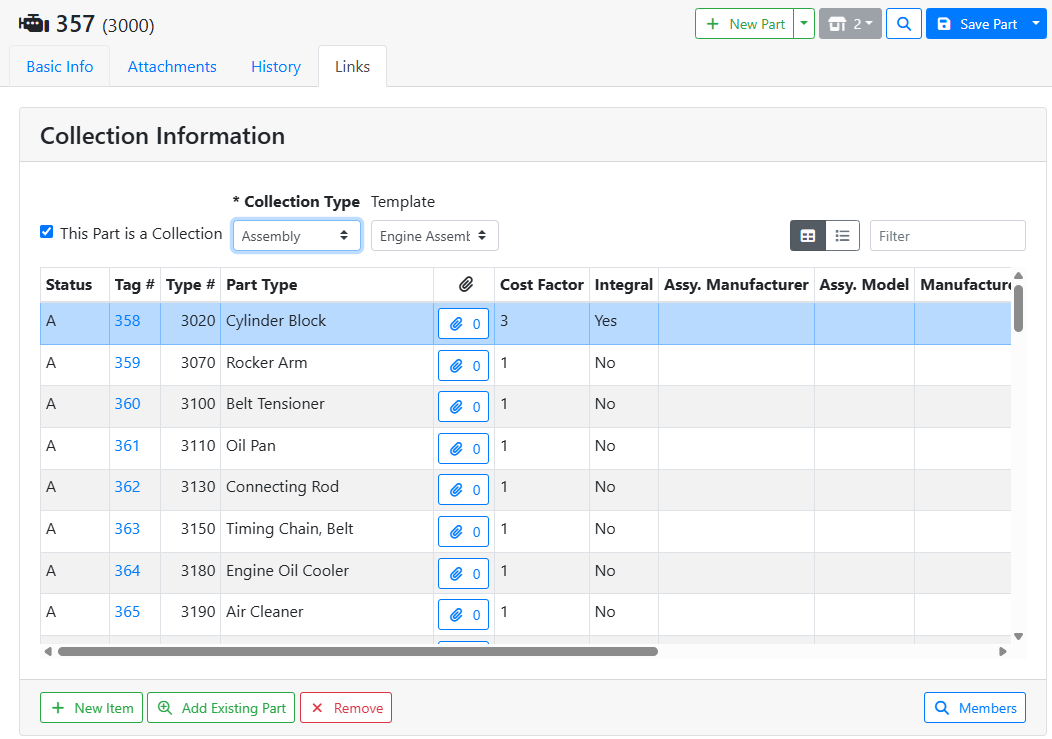
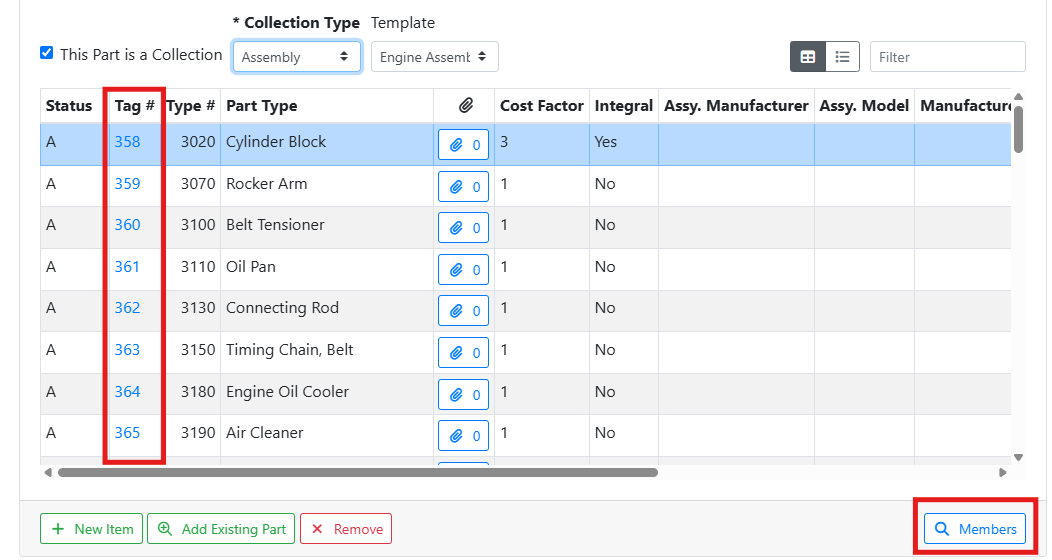
Click on a Tag # to go to that collection member’s part record, or click the Members button to open the list of collection members on the Part Search screen.
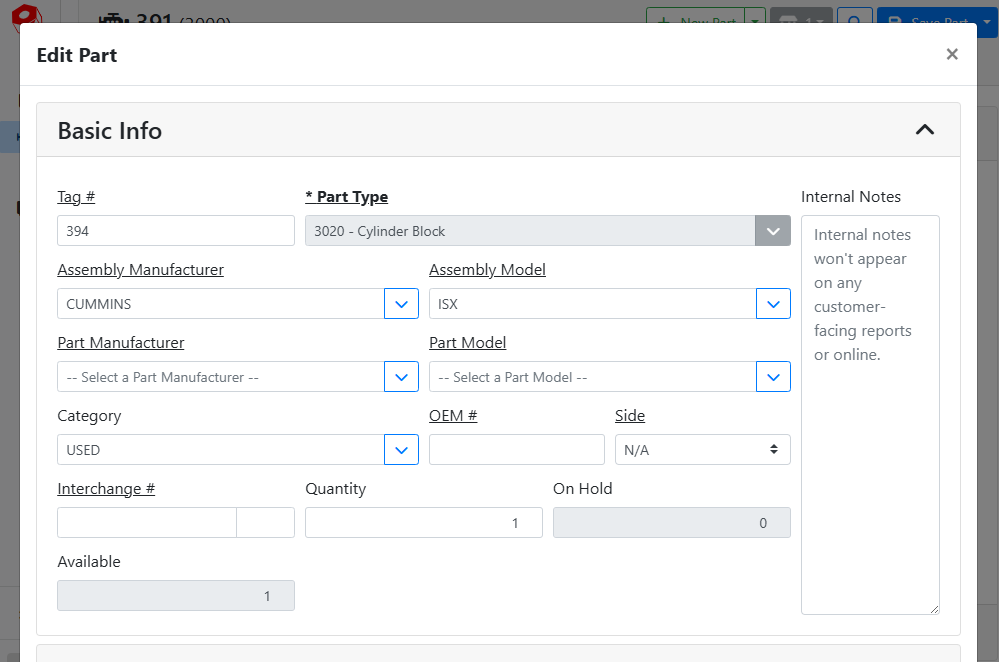
You can view part information for the collection members without leaving the collection parent. To do so, click anywhere in the part row, and the detail page will open. The part details will open in a new window if you are on a mobile device or have the Window view mode selected. 
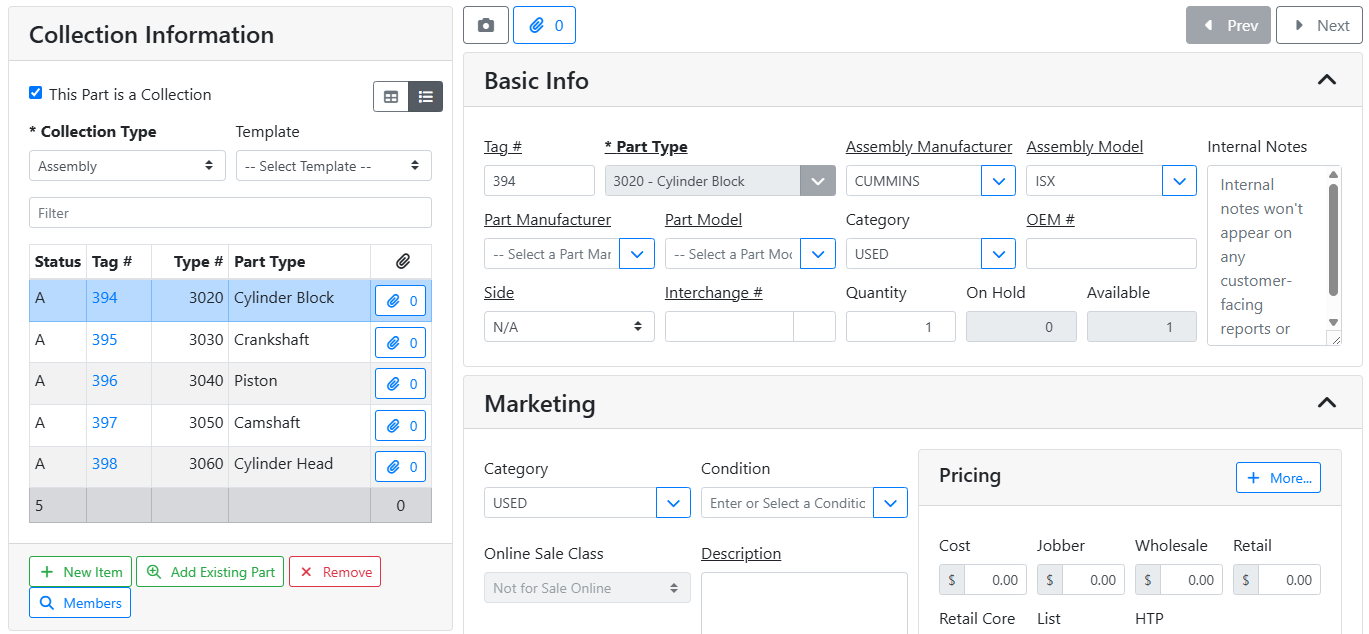
The part details will open to the side if you’re on a large enough screen and have the list view mode selected. 
🔧 Collection Members
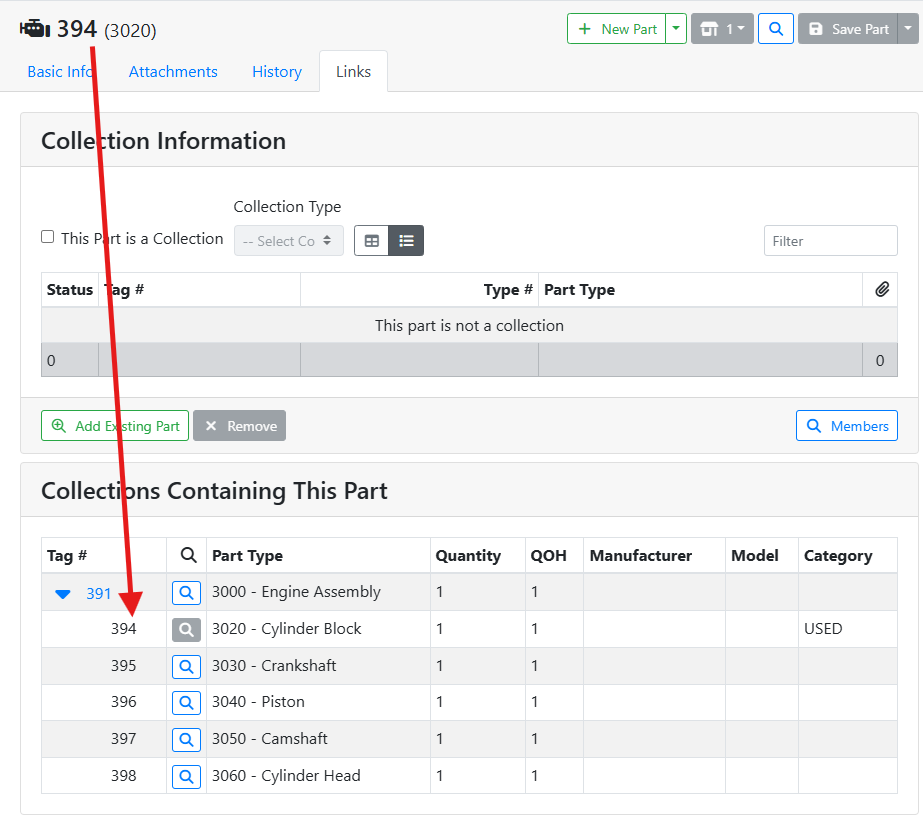
If a part is a member of a collection, you will see the collection it is contained on in the Collections Containing This Part box. The Collection Parent part is listed near the top with an arrow. 
Click on the spyglass 
In this example, the Cylinder Block is the currently selected part. It is a member of the Engine Assembly, which is the Collection Parent.
🚚 Parts from a Vehicle Teardown
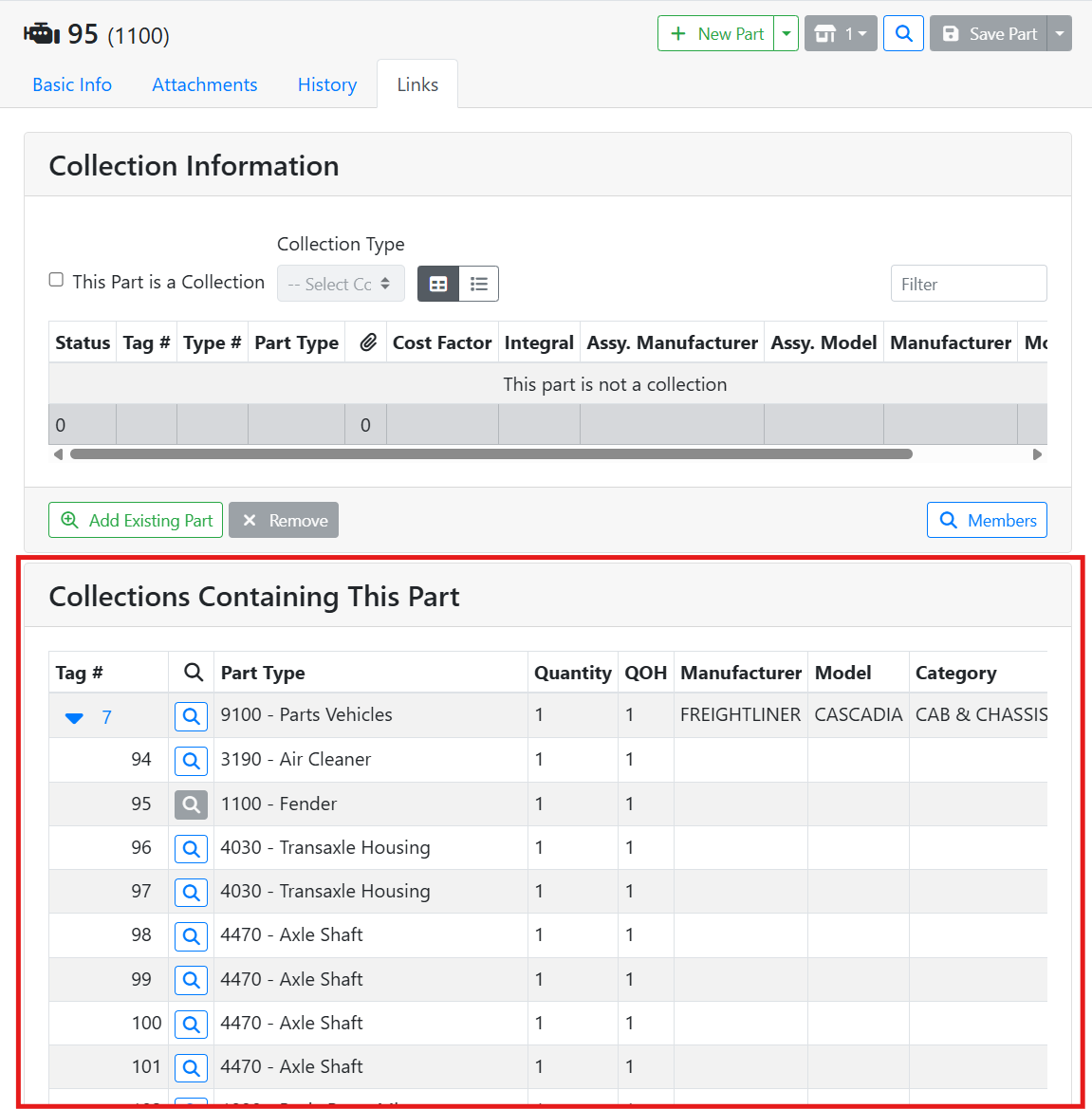
Parts that were associated with a vehicle teardown will appear as members of a collection grouped together under the vehicle they were pulled from.
In this example, the part I’m viewing has Tag #95. It is shown as part of a Collection Containing This Part, grouped under the Freightliner Parts Vehicle #7. I can click on the spyglass
Read more about vehicle teardowns.
📦 Kits and Templates
Kits, Ordered Kits, and Templates are all created the same way, but are handled differently when ordering and selling.
Purchasing and Selling parts needs to be done in ITrack Enterprise Desktop at this time.
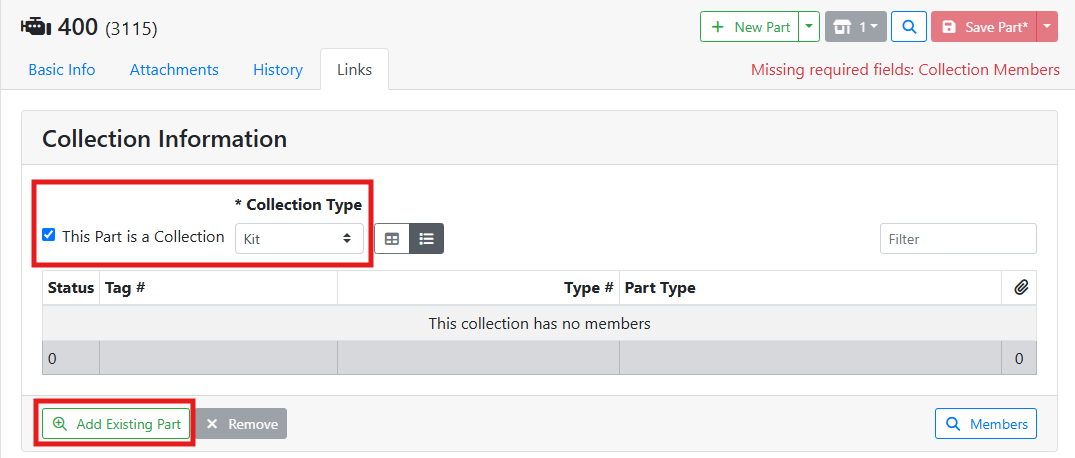
To create a kit, ordered kit, or template, check This Part is a Collection, and select the type in the Collection Type menu, then click the Add Existing Part button.
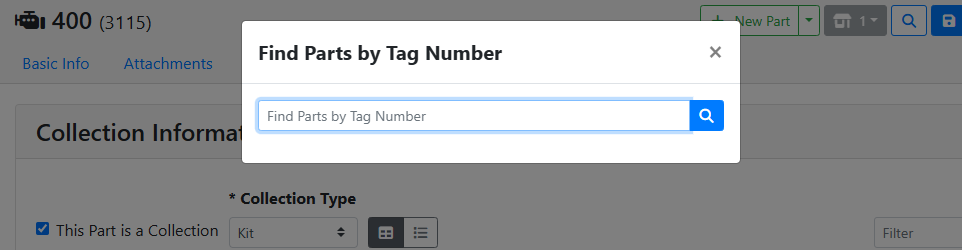
You can then enter a tag number of a part, and it will be added to the collection. Save the collection parent when you are finished.
📦 Kits
A Kit is a collection of items that are sold as a unit. Inventory quantity is only tracked for the members of the kit, instead of the kit itself.
When selling a kit, the sales history will be attributed to the kit itself, and the price is derived from the kit. The quantity from each item in the kit is decreased instead of the kit. On the Sales Order, the customer will see the items contained in the kit as line items. You cannot remove items from a kit on a Sales Order.
A kit can’t be purchased. Instead, the members of the kit are either purchased on a PO or torn from a vehicle. It’s assumed that kits are assembled at your yard.
For example, I have an oil pan gasket kit that I sell from new parts.
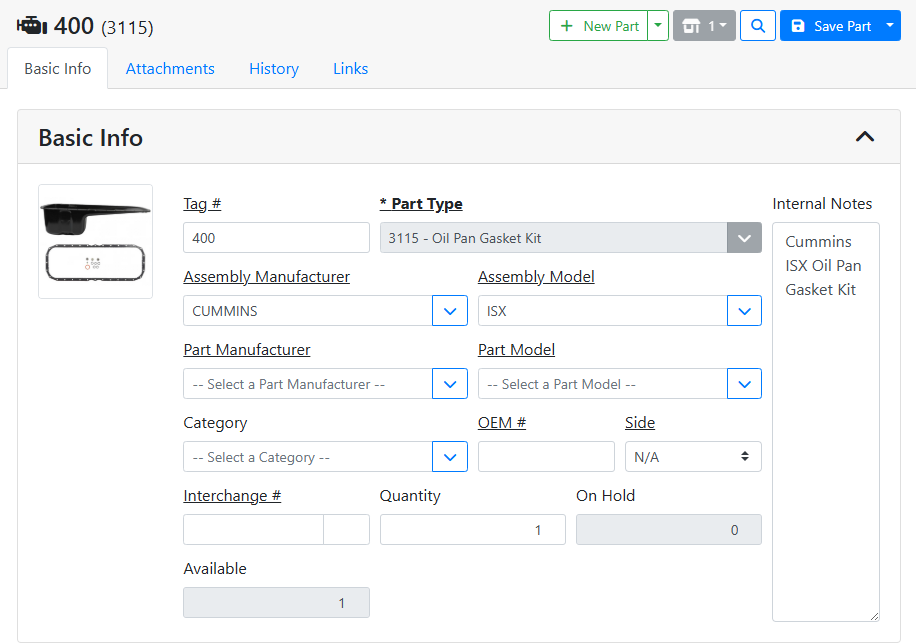
This kit is assembled in-house from other parts, an oil pan, and an oil pan gasket. On the Links tab, I have added those two parts as part of the kit collection.
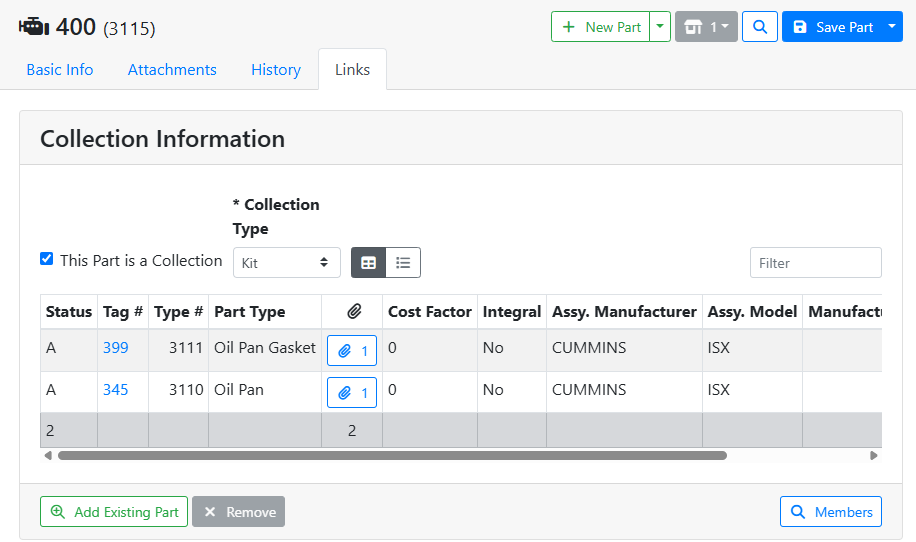
I might pre-assemble the kit, or assemble the kit on-demand for a customer. Either way, I can sell the kit as long as I have enough quantity on hand for each of the members of the kit.
📦 Ordered Kits
An Ordered Kit is ordered as a packaged kit from your vendor, as opposed to being assembled in-house the way a Kit is. Inventory quantity is tracked on the ordered kit, instead of its members. The ordered kit is treated as a complete unit.
When selling an ordered kit, the members of the ordered kit are not shown to the customer on the Sales Order. They will only see the ordered kit line item. The inventory quantity is decreased for the ordered kit item, and its member items' quantity isn’t tracked.
When purchasing an ordered kit, the members are not shown on the Purchase Order. The ordered kit’s quantity is increased, and the member items' quantity isn’t tracked.
📋 Templates
Templates are a way to group items to quickly add a set of items for purchasing and selling. A template is different from a kit in that each item carries its own pricing and quantity.
You might make a template that is a group of items that are on sale or special order. For example, a Winter Special that consists of de-icer, cold start fluid, and a windshield scraper. When you add the winter special item to the sales order, all 3 member items are added.
When selling a template, the members of the template are added to the Sales Order. Each item tracks its own quantity and price. You can remove any item if a customer chooses not to purchase it.
When purchasing, you can search for templates to quickly add its members to a Purchase Order.
🧰 Assemblies
Assemblies are master parts that are composed of one or more sub-parts, also known as component parts.
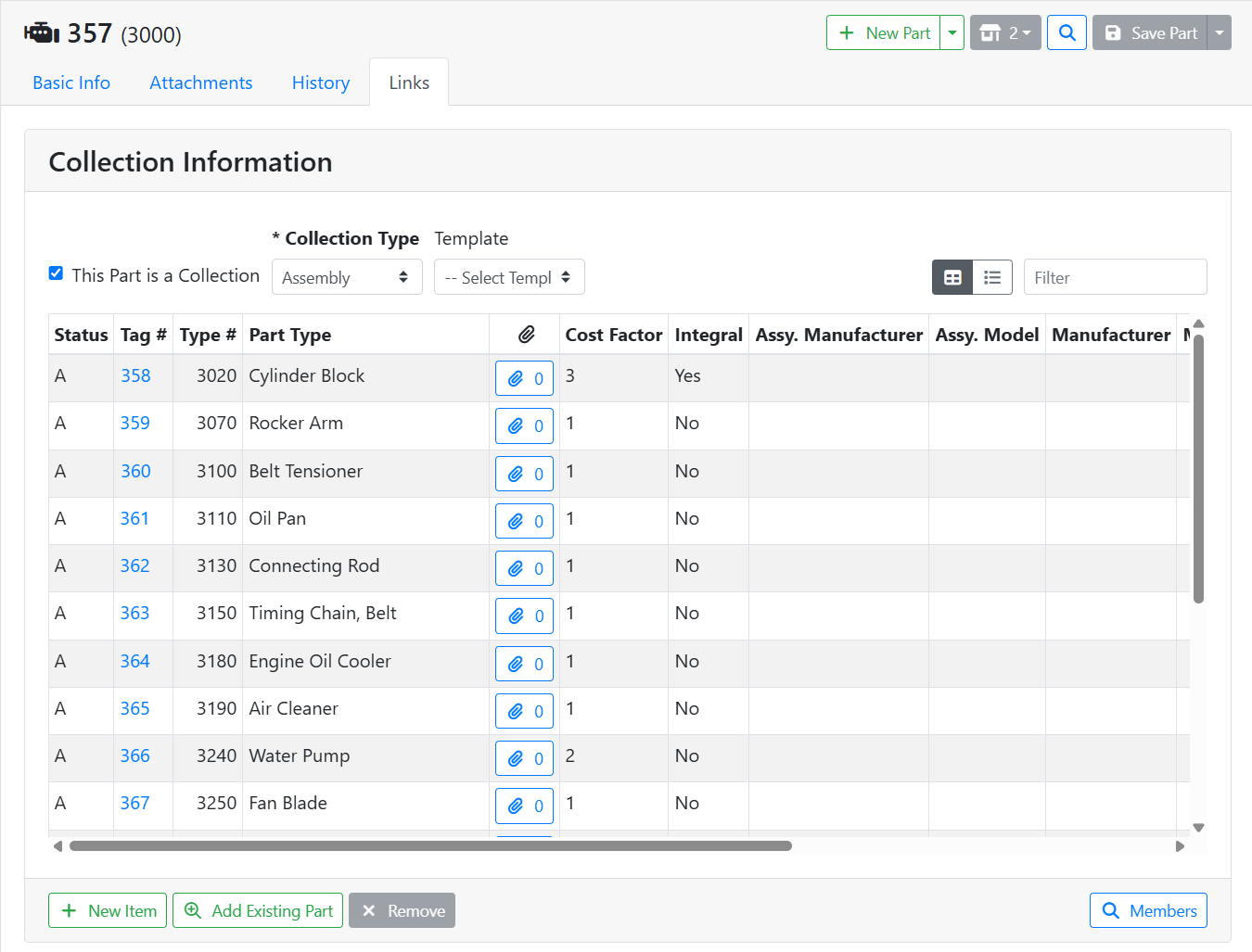
Assemblies are covered in another article. Read more about assemblies and assembly breakdowns.