
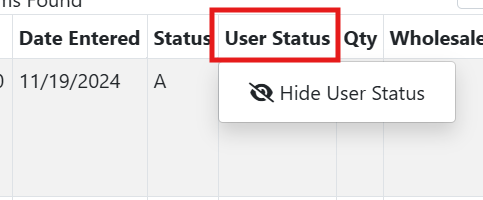
In many tables in ITrack, you can change what columns are displayed. Right click on a column header to open a menu where you can change the visibility status. On a mobile device, tap and hold on the column header to show the menu.
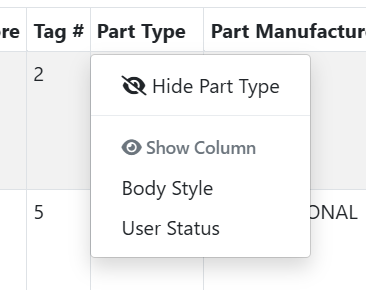
To view your hidden columns, right click on any column. The current column will have an option to hide it, but below that, you will see a list of hidden columns. Click on one of these columns again to bring it back.
Hiding columns is temporary. If you log out or use another device, they will be restored.