
The VIN lookup tool can be a quick way to enter vehicle information. On a new vehicle, enter the VIN and press Enter on your keyboard or click the spyglass
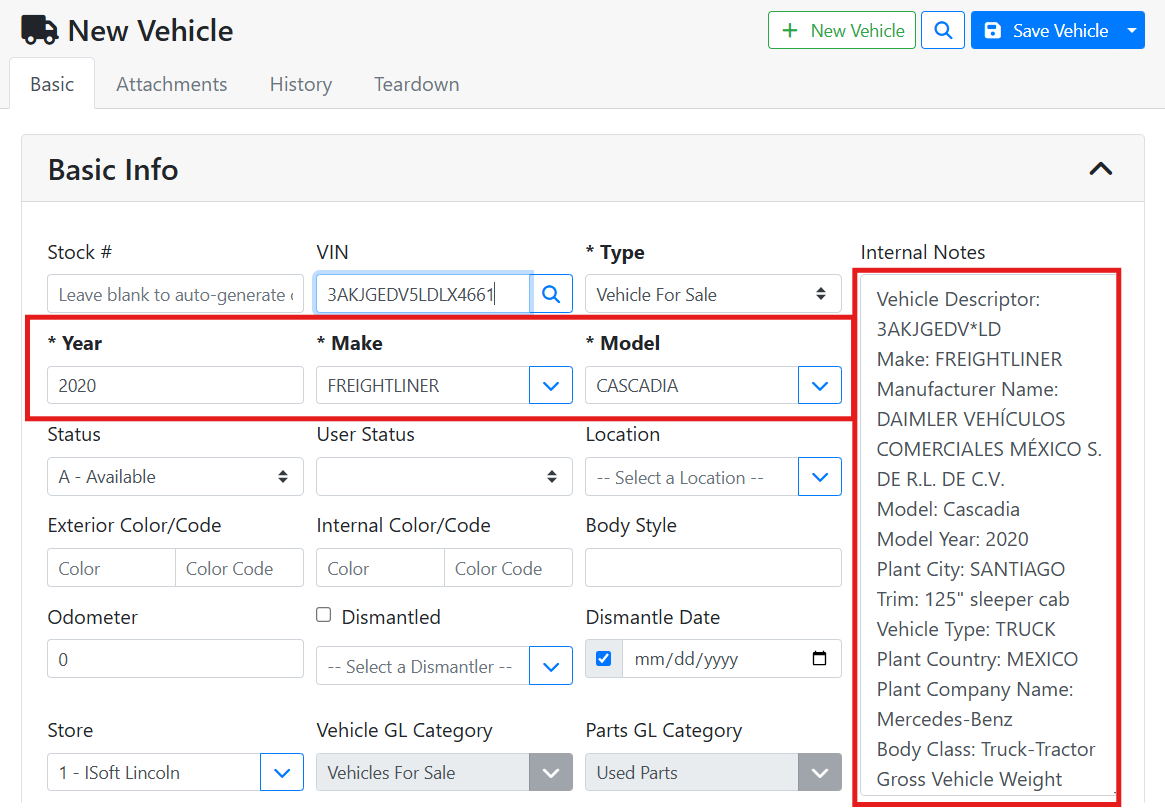
The Year, Make, and Model fields will auto-fill from the VIN, and additional details will populate in the Internal Notes field.
❓ Why Didn’t The Make Or Model Field Populate Data?
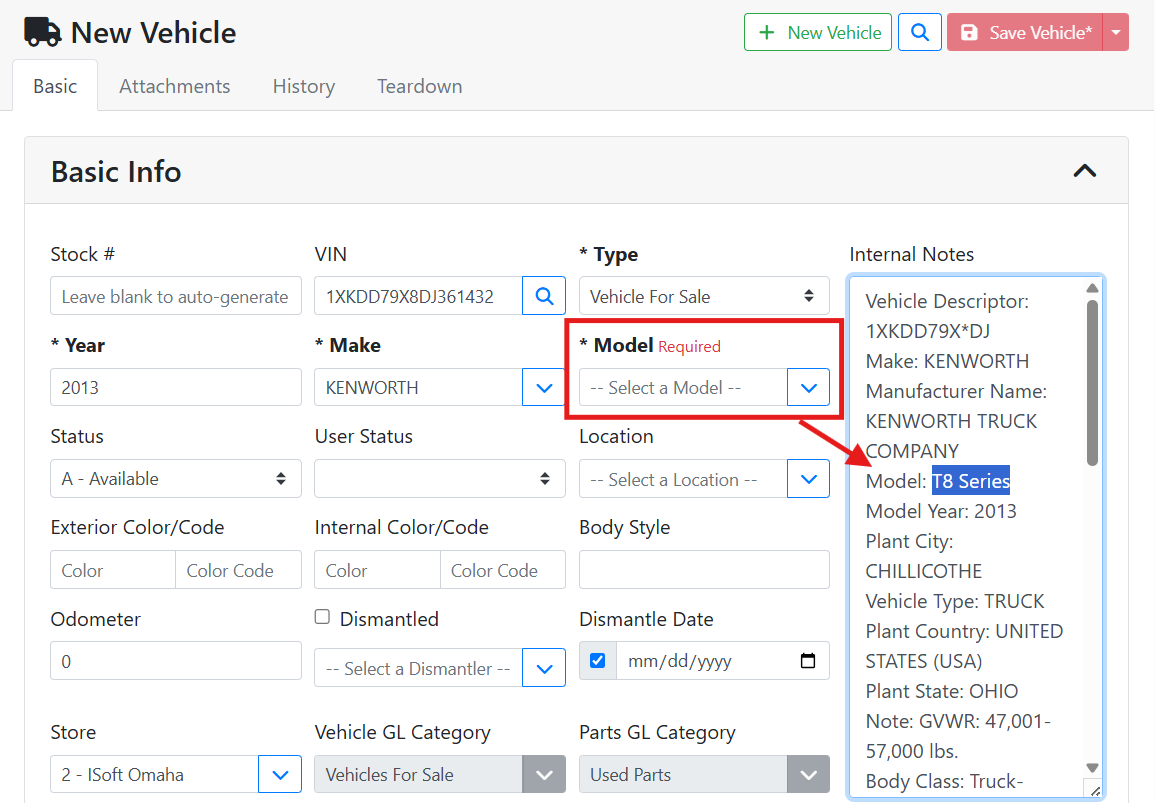
If a VIN lookup doesn’t automatically populate a Make or Model, it means that Make or Model either isn’t enabled for that inventory type, doesn’t match one in your database, or was missing from the VIN. You may need to manually select it from your list, or you may need to add a Make or Model to your database.
In this example, the Model didn’t populate for this 2013 Kenworth VIN. Reading the VIN details in the Internal Notes field, I can see the supplied Model says T8 Series.
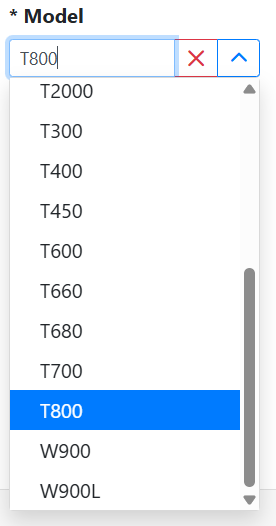
I have T800 as a Kenworth model in my database, so I will select that.
If you can’t find the correct Make or Model in your list, it will need to be added to your database from the ITrack Enterprise desktop software.
🔎 VIN Lookup Window
You can also open the VIN Lookup window to see more details while doing a VIN decode. With nothing entered in the VIN field, click the spyglass button.
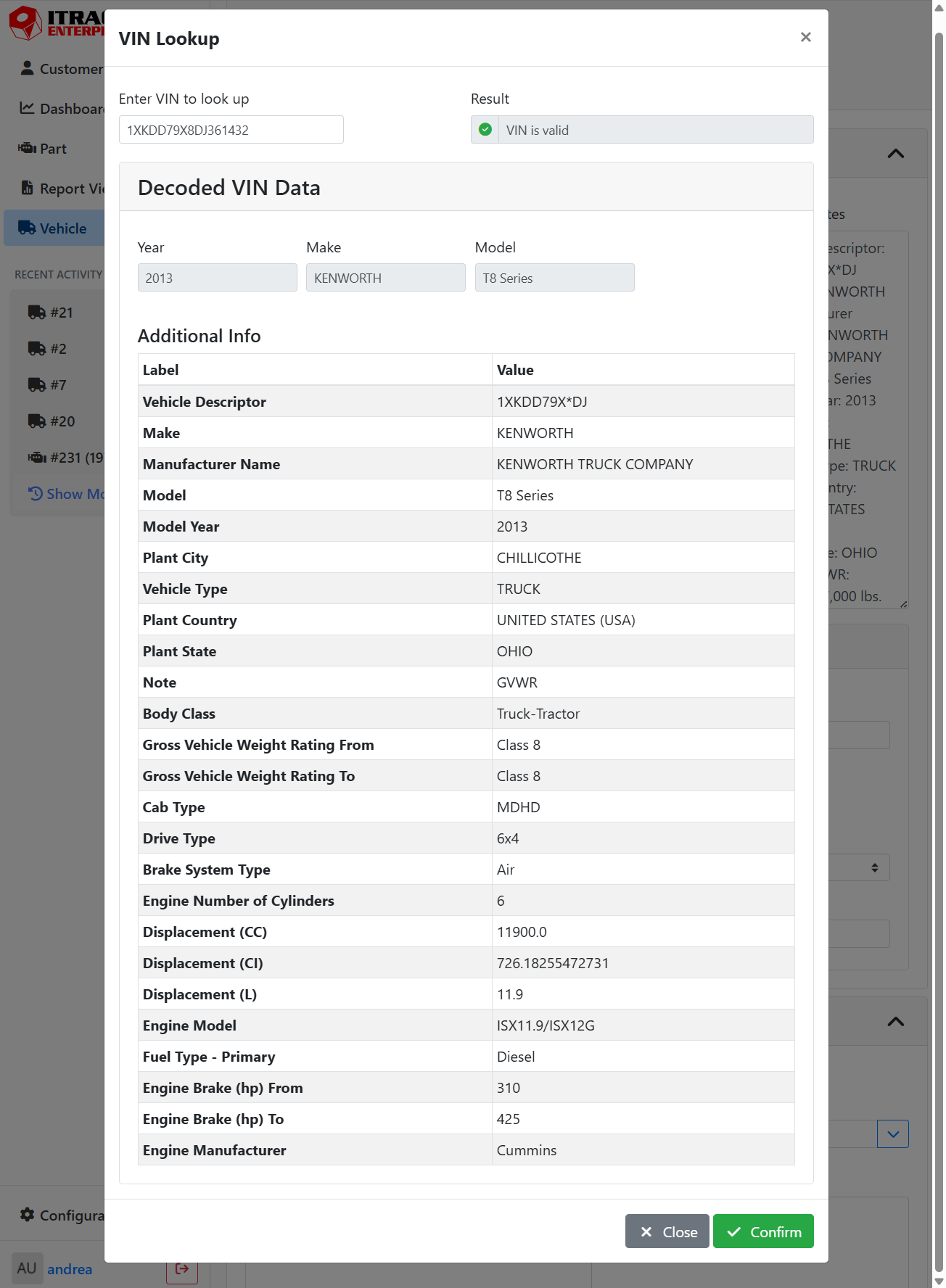
The VIN Lookup window will open. Enter your VIN, and as soon as you have a valid entry, it will show in the window.
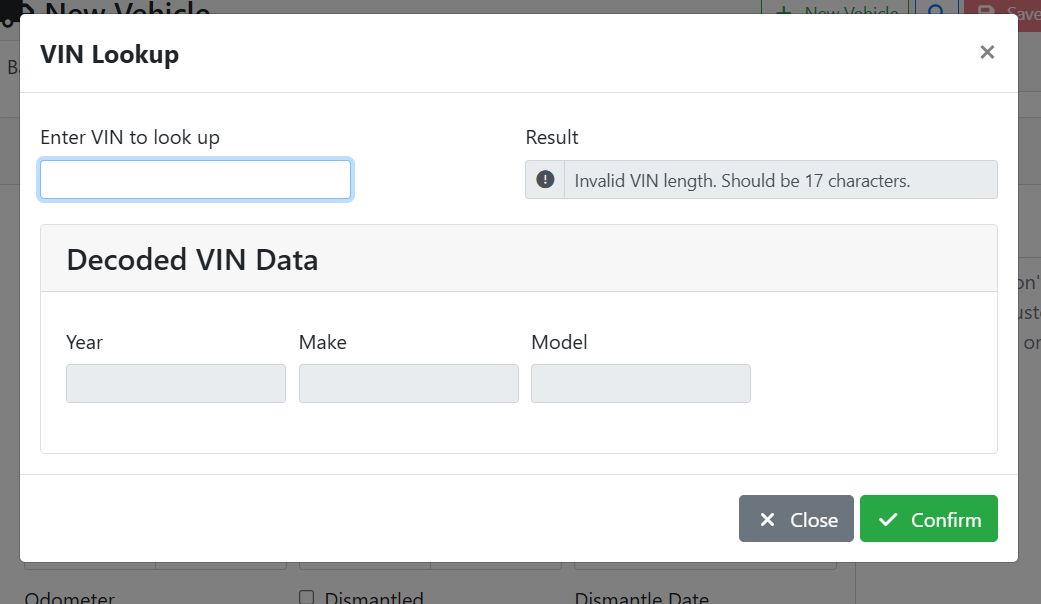
If there are any errors with your VIN, you can see them in the Result field. If you have any errors, double check your VIN. The best way to avoid errors is to Copy/Paste a VIN number.


A successful VIN lookup will fetch as much detailed information about the vehicle as possible.
🚚 🚚 Duplicate VIN Check
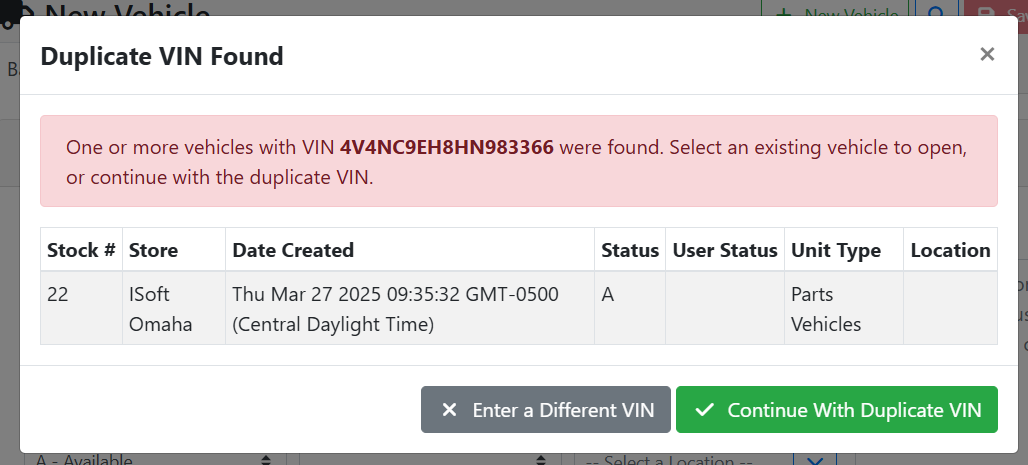
When decoding a VIN, ITrack will also check to make sure you don’t already have a vehicle with this VIN. If a duplicate VIN is detected, you will see a warning. Only select Continue With Duplicate VIN if you truly want two vehicle records with the same VIN. Otherwise, select Enter a Different VIN or close the window.
Use the Vehicle Search screen to find the vehicle with the matching VIN. Read more about searching for vehicles..