
ISoft recommends using the specific ITrack skills we’ve developed for AI agents to understand your data and the heavy truck industry.
This document will cover installing skills via Claude. Your AI app may or may not support skills. Using an AI app with skills support is highly recommended for performance and accuracy.
📁 Installing Skills
A skill file may be shared with you with either a .zip or .skill extension. Either extension is valid. You will need to download this file to your computer somewhere you can easily find it.
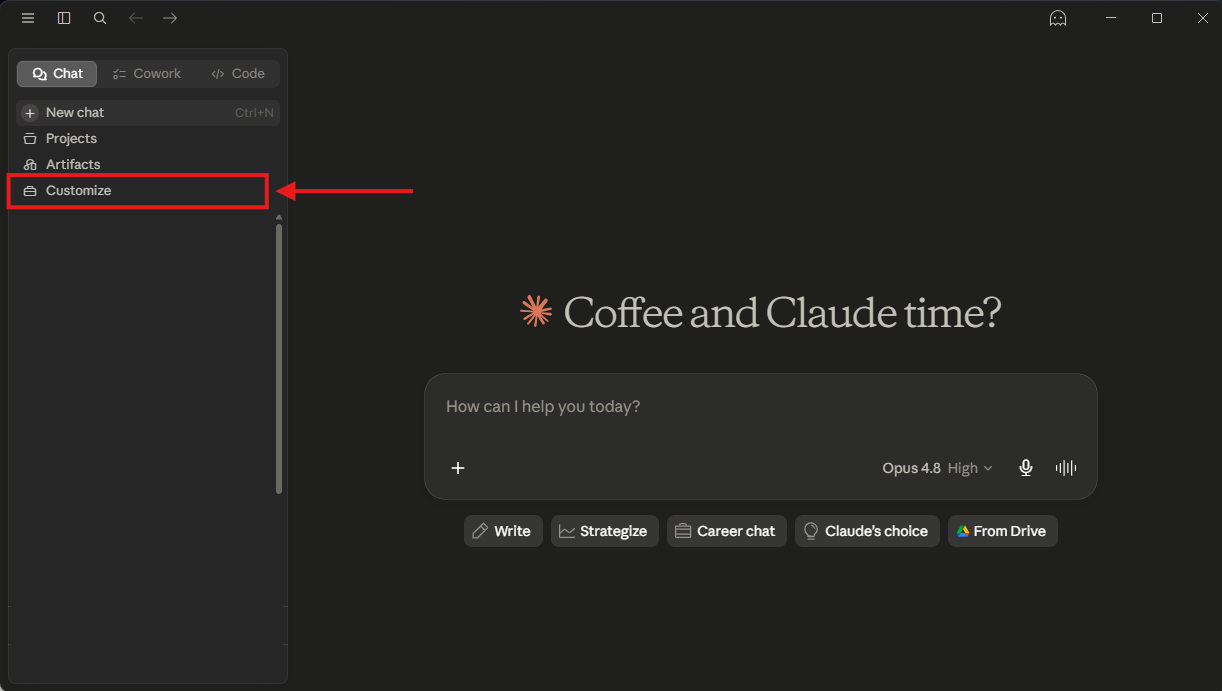
To install the skill, open Claude and select Customize in the sidebar or go to Settings > Customize.
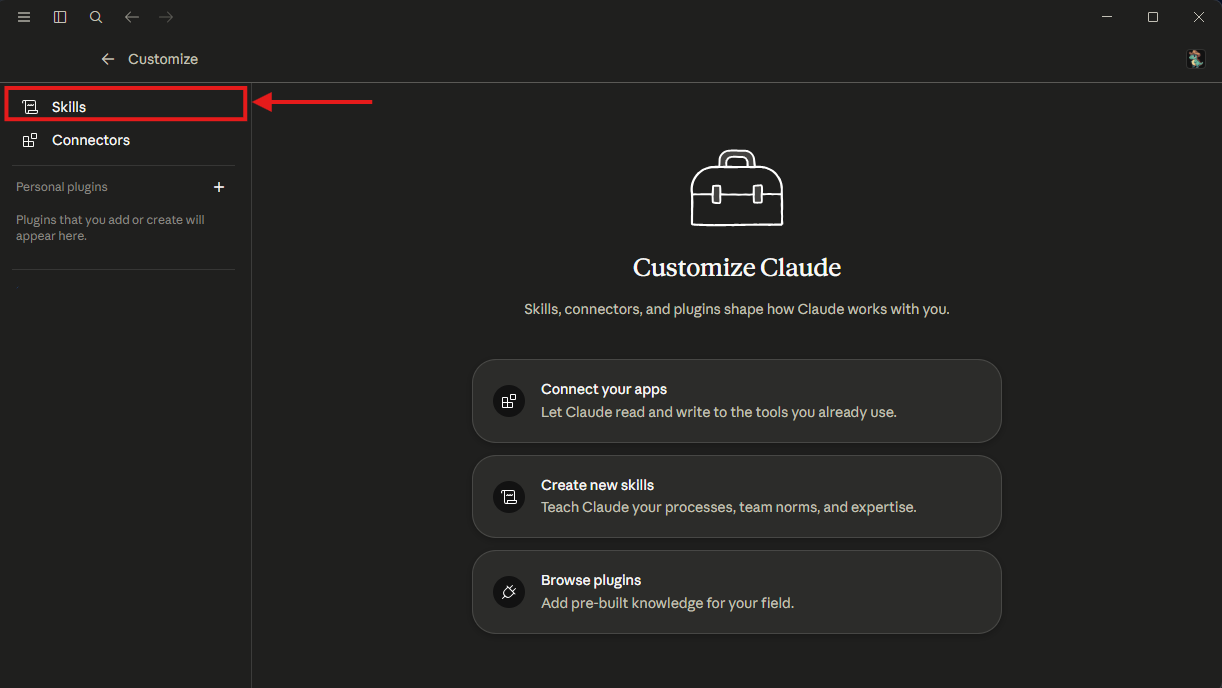
On the Customize screen, select Skills.
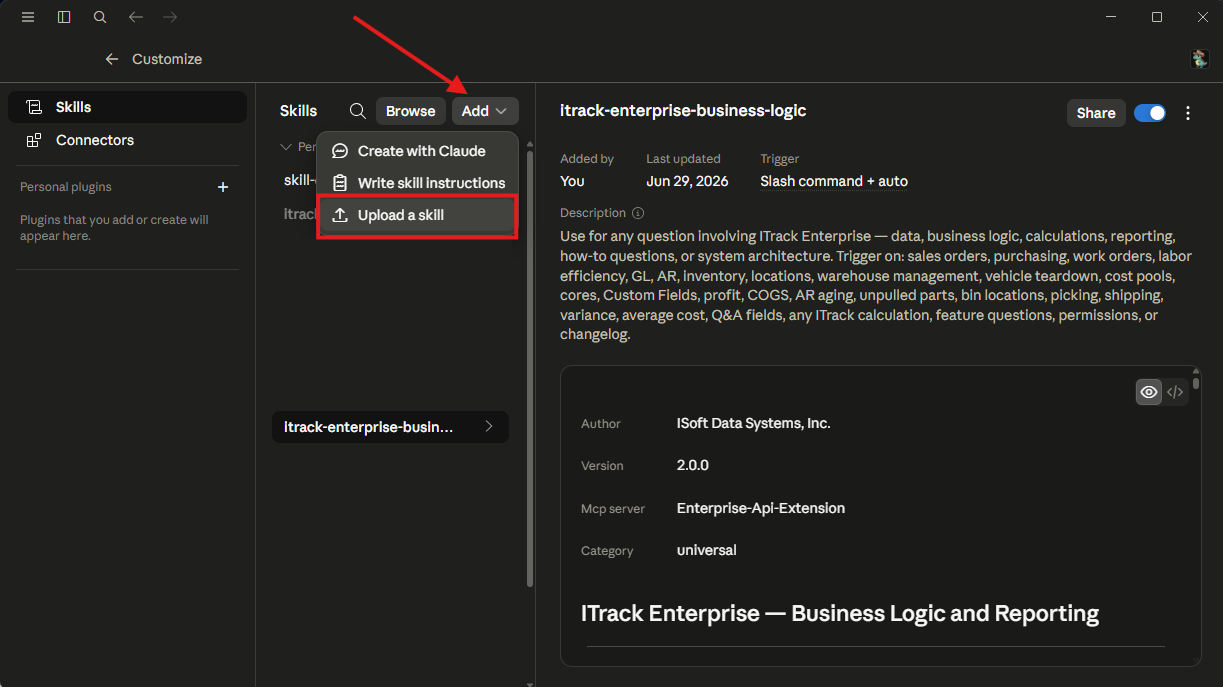
At the top of the list of skills, click the Add button, then select Upload a skill.
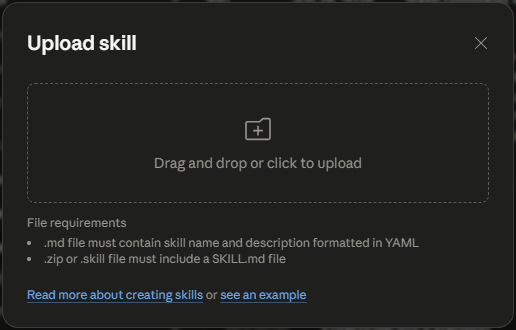
In the Upload Skill window, drag the skill .zip or .skill file or click to browse for its location.
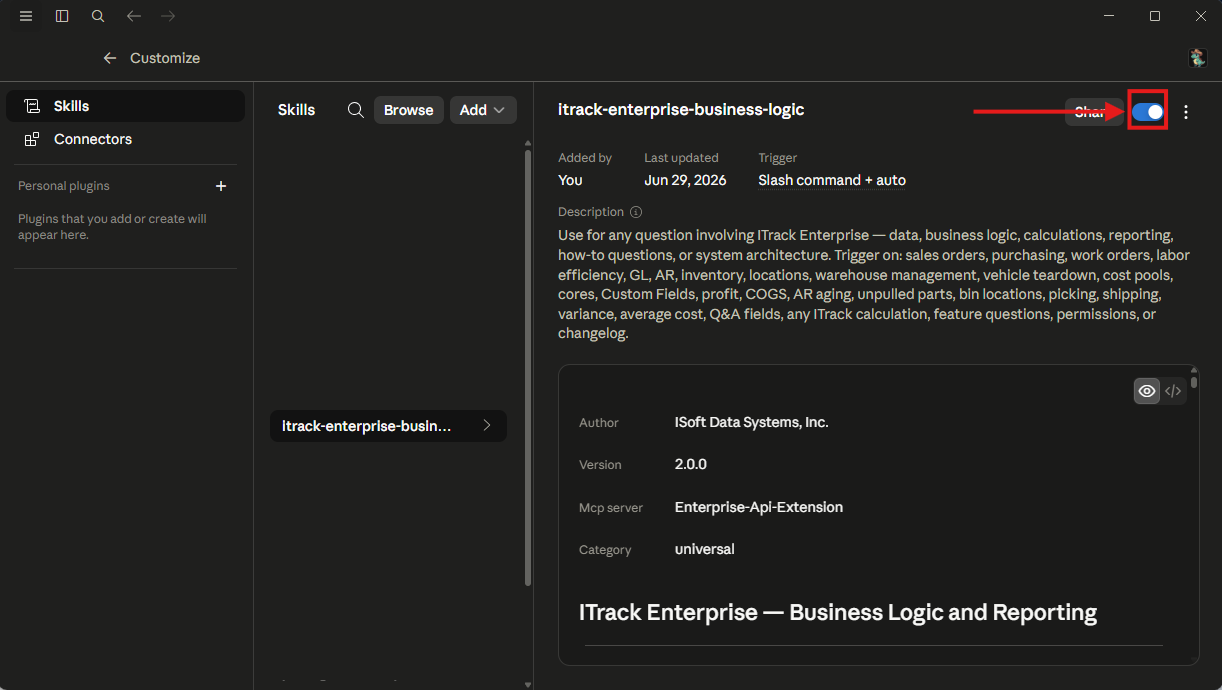
The skill will be added to your skill list. Click the toggle in the right hand corner to turn the skill on.
🚦 Enabling and Disabling a Skill
Claude won’t invoke a skill if it isn’t enabled. Use the toggle in the upper right to turn a skill on or off.
⚙️ Updating a Skill
If a manually installed skill needs to be updated, this is done by Replacing the skill. Similar to installing the skill, download the updated skill file first to a location you can easily find it.
Then, navigate to the skill in Claude. Click the menu icon, then click Replace.
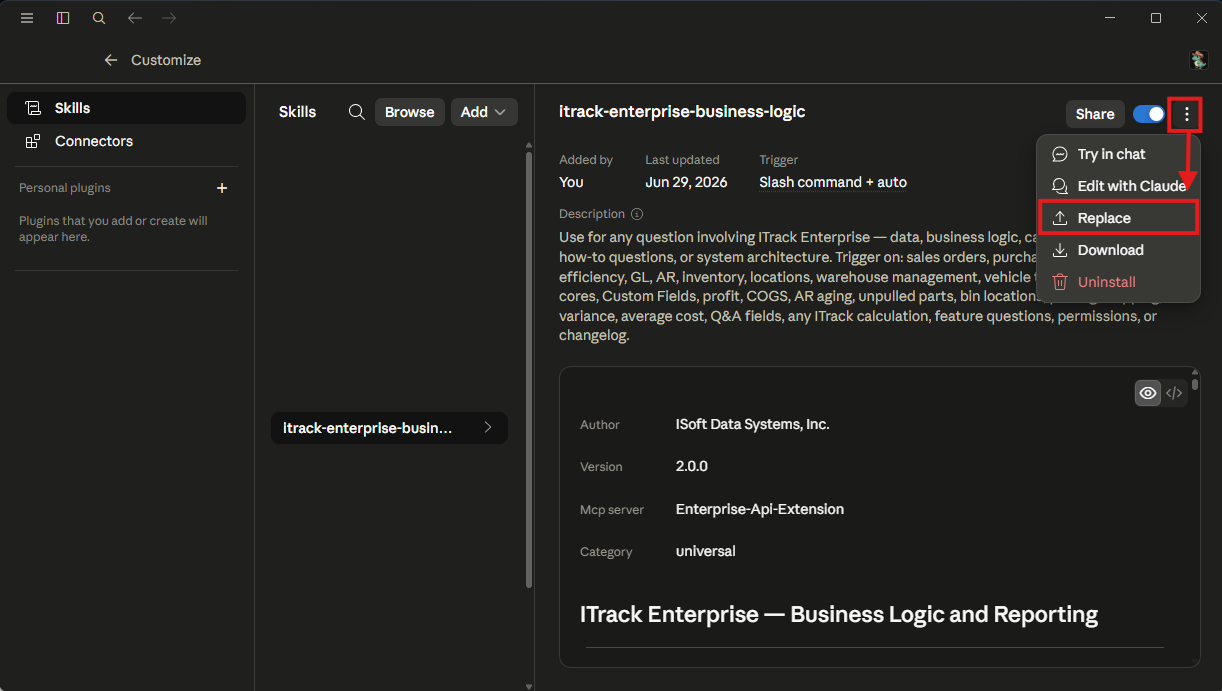
Replacing the skill works the same as installing the skill. Drag the updated .skill or .zip file into the Upload window or browse for it on your computer.
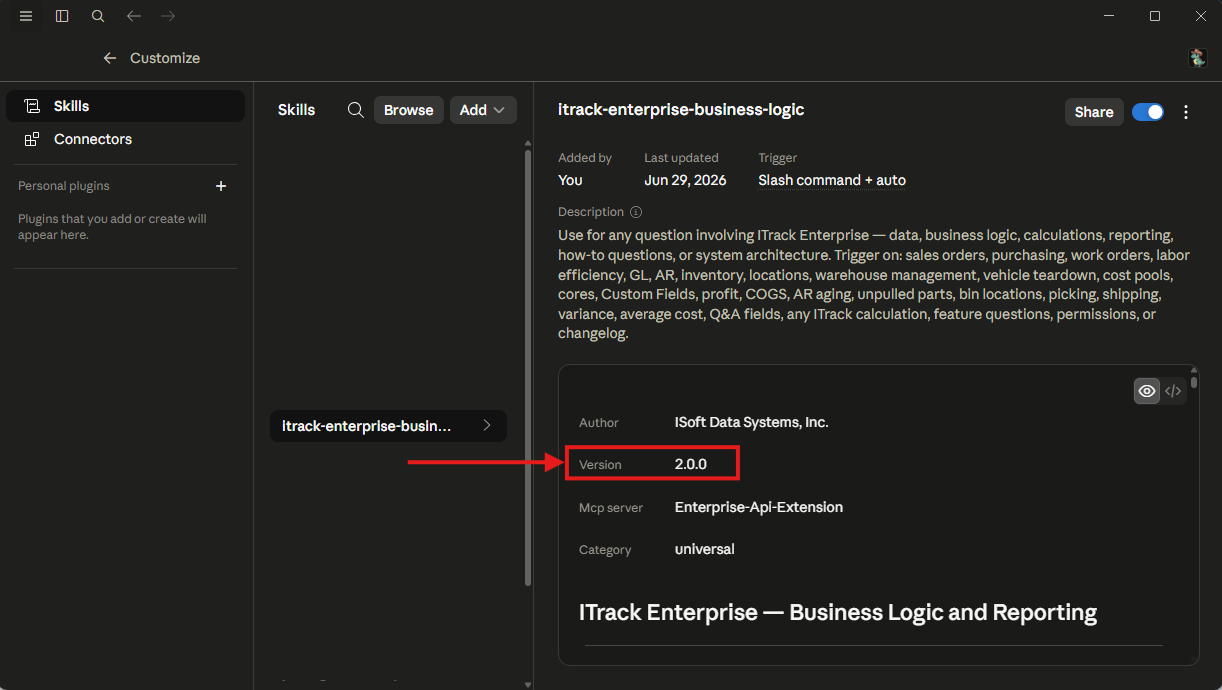
You may not notice a change to the skill. To verify, check the Version on the skill for the expected version number.
↗️ Distributing a Skill to Your Organization
If you use Claude across an organization with a shared plan, you can share a skill with your entire organization. On the skill, click the Share button.
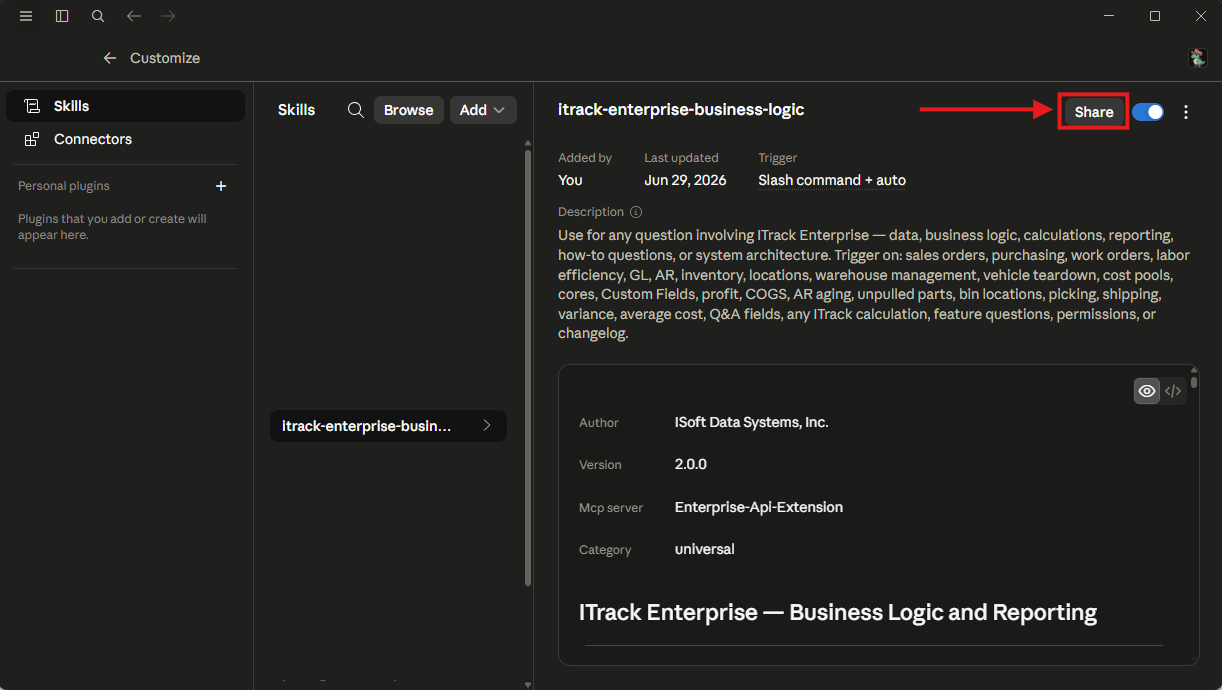
In the Share window, you share the skill with specific persons or with your entire organization. If you update the skill, the update will also be shared with your entire organization.